Task Number: 140537
Admin Account
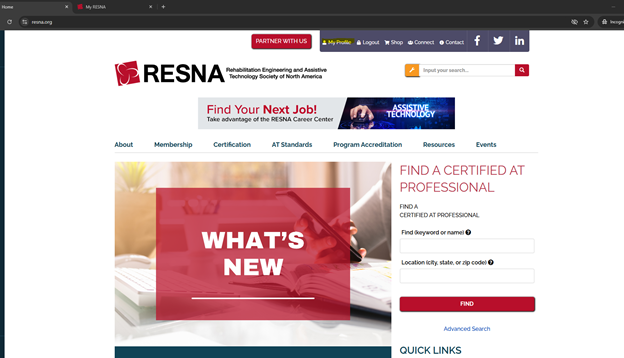
Log in to https://www.resna.org/ at the top-of the page.
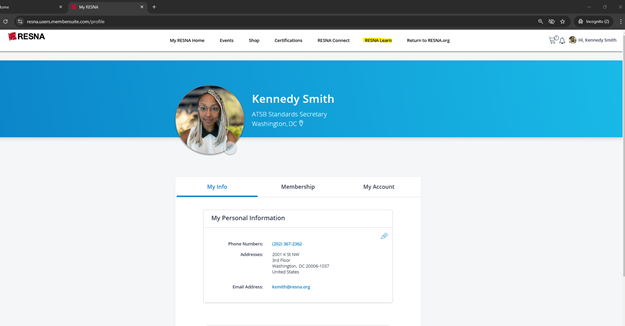
Go to My Profile>
Click Rensa LEARN>
Click Login>
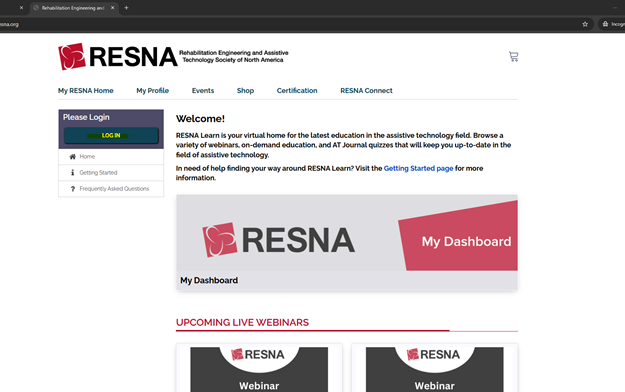
It should redirect you to log you in automatically.
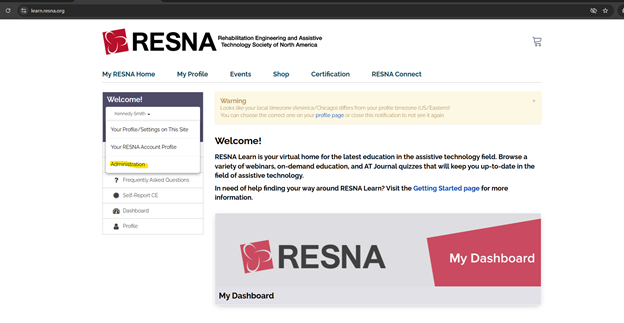
Click your name and the arrow. At the bottom of the dropdown it should say "Administration", click that and you are in the backend.
Was this article helpful?
That’s Great!
Thank you for your feedback
Sorry! We couldn't be helpful
Thank you for your feedback
Feedback sent
We appreciate your effort and will try to fix the article