LOGIN ADMIN SETUP
For Front End access to DNN start at 2 step.
Membersuite to DNN
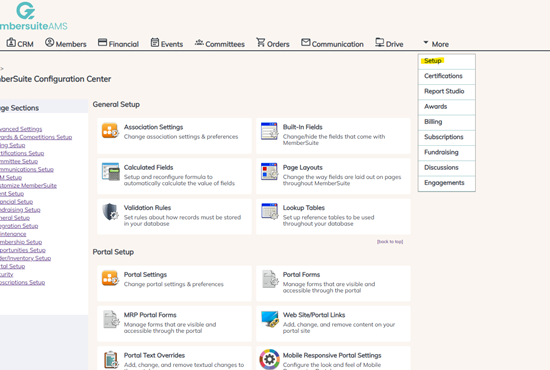
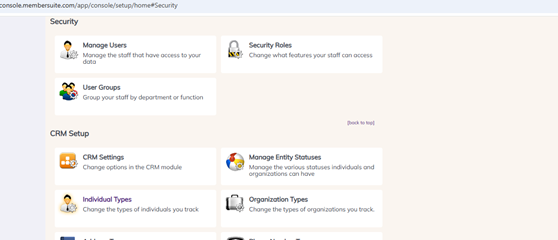
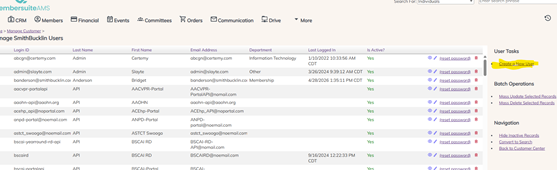
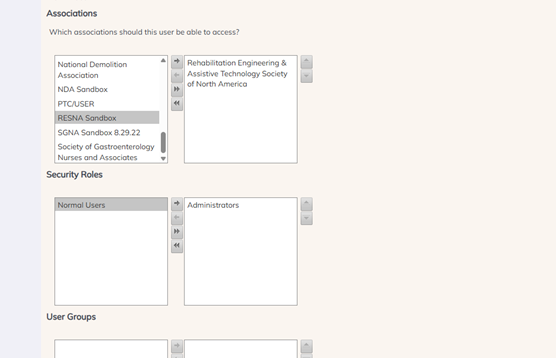
- 1. Setup > Security > Manage Users > Create a New User > Fill out user information > add appropriate Associations > add Security Roles (Administrators)
- a. After admin account is set up go back to “Manage Users” and update the password for account. This password will be used for both admin and front-end accounts. From here you will have them set up their own MFA for the admin account.
2.
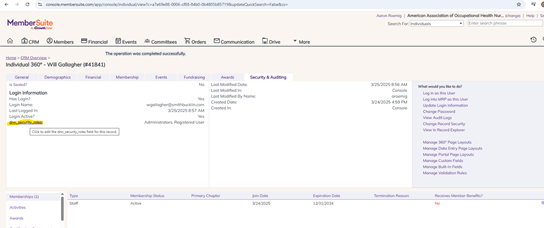
Create Individual in MS will push over to DNN once you login as them.
Go to security and settings and add Registered User and Administer roles.
Change Password
Test in an Incognito window – use top-right Login Button.
Was this article helpful?
That’s Great!
Thank you for your feedback
Sorry! We couldn't be helpful
Thank you for your feedback
Feedback sent
We appreciate your effort and will try to fix the article