Form submissions on DNN websites are captured and stored in a backend database linked to the form module. Here is how to access that database, and download responses into an excel spreadsheet:
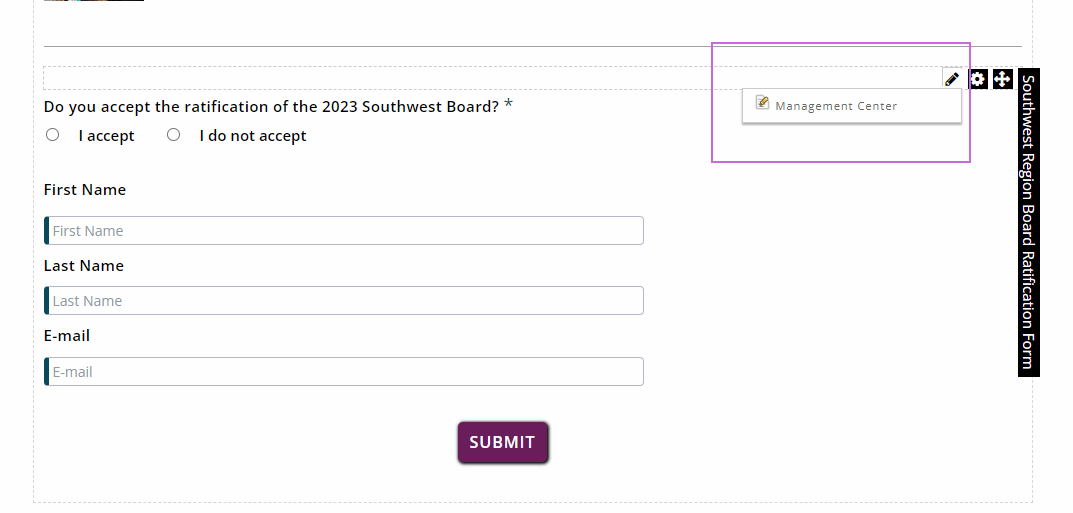
- Enter the management center by clicking on the pencil in the upper right-hand corner.
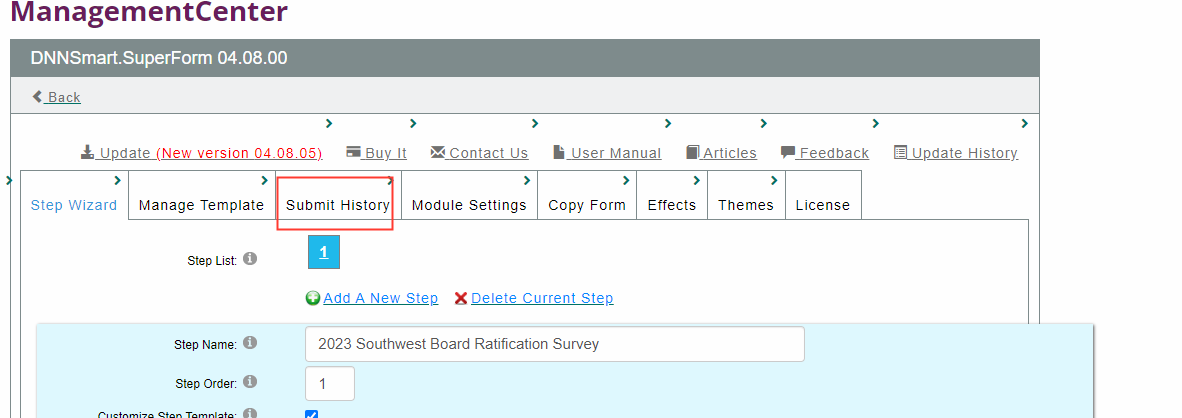
- Click on the “Submit History” tab
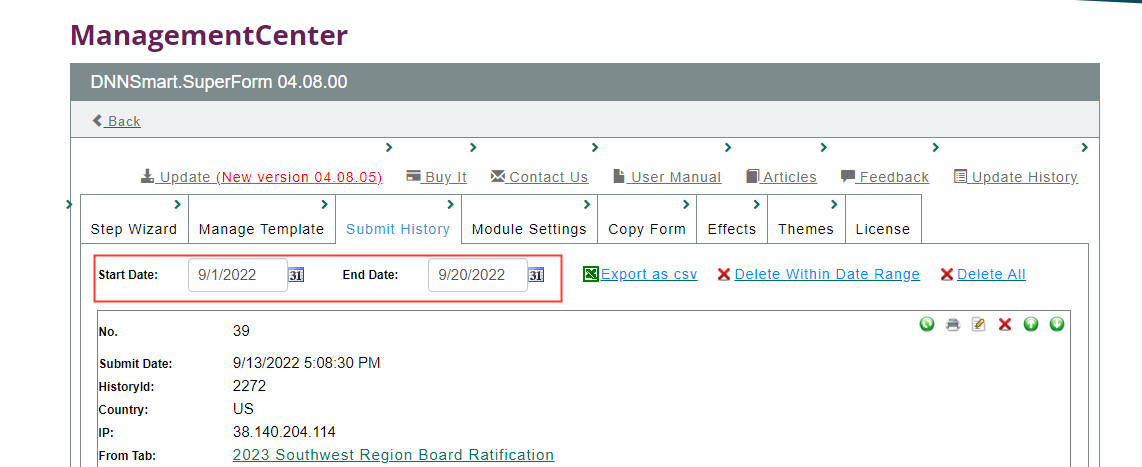
3. Select the date range from which you'd like to retrieve responses.
4. Click Export as csv
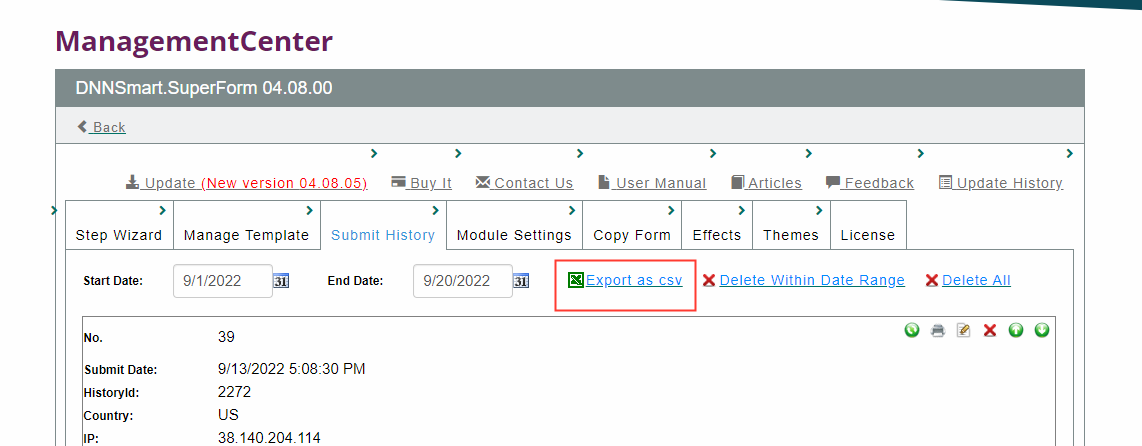
Responses will now download into an excel file.
Was this article helpful?
That’s Great!
Thank you for your feedback
Sorry! We couldn't be helpful
Thank you for your feedback
Feedback sent
We appreciate your effort and will try to fix the article