How to Reorder Pages in Your DNN Menu
Add or Relocate a Page in Menu Dropdown
How to Add or Relocate a Page Under a Specific Menu Dropdown in DNN
- Open the Pages Menu
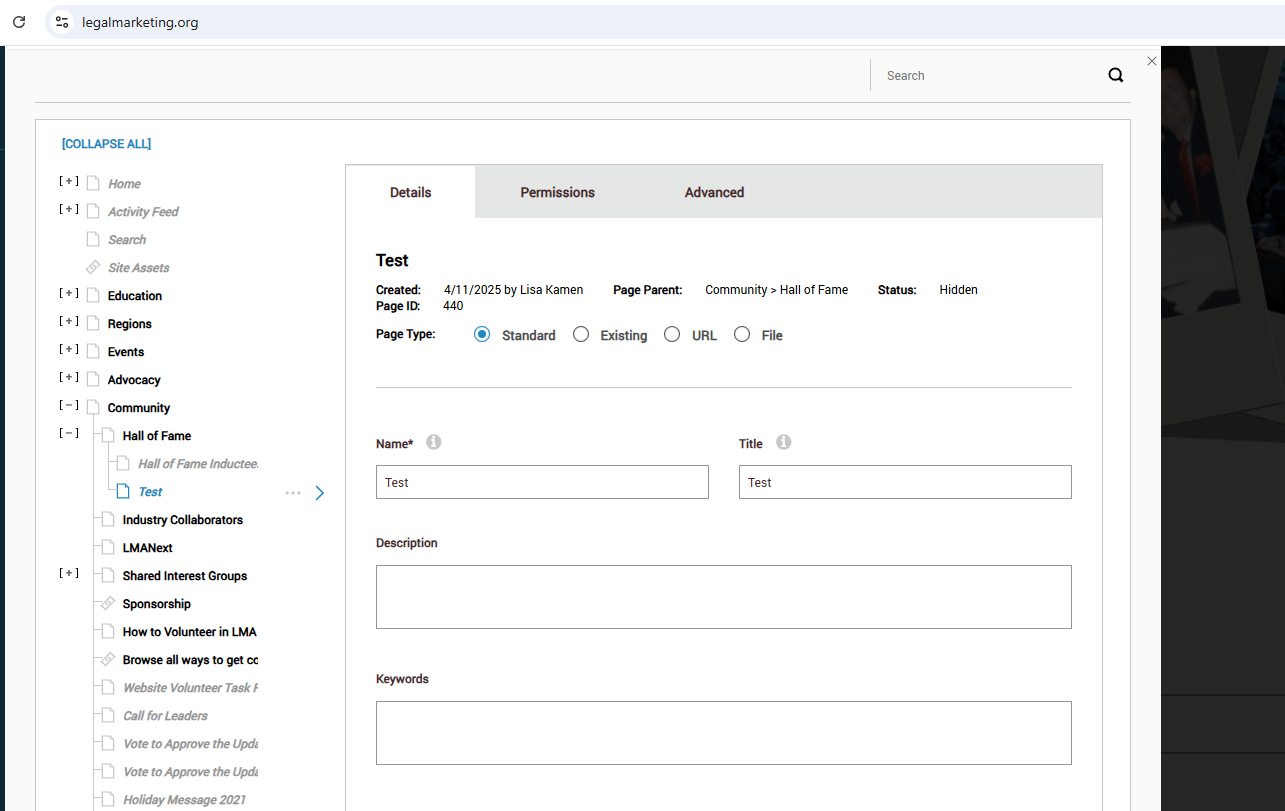
Navigate to the “Pages” section in your DNN site. (Screenshot 1) - Locate the Page
Find the page you want to add or move within the menu hierarchy. - Drag and Drop the Page
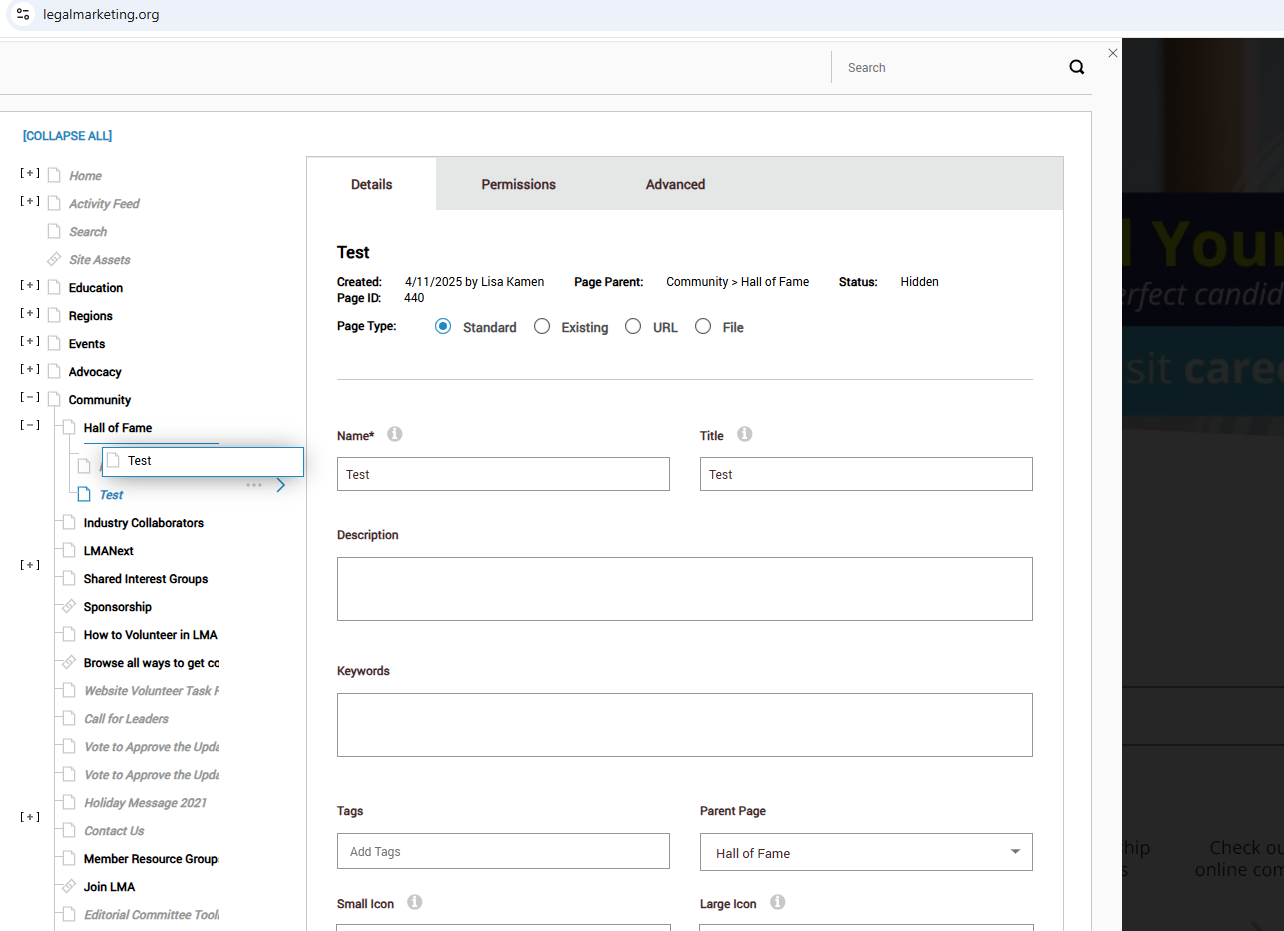
- Right-click on the page name using your mouse.
- Hold down the right mouse button and drag the page to the desired location under the appropriate menu dropdown.
- A blue line will appear, indicating where the page will be placed in the hierarchy.
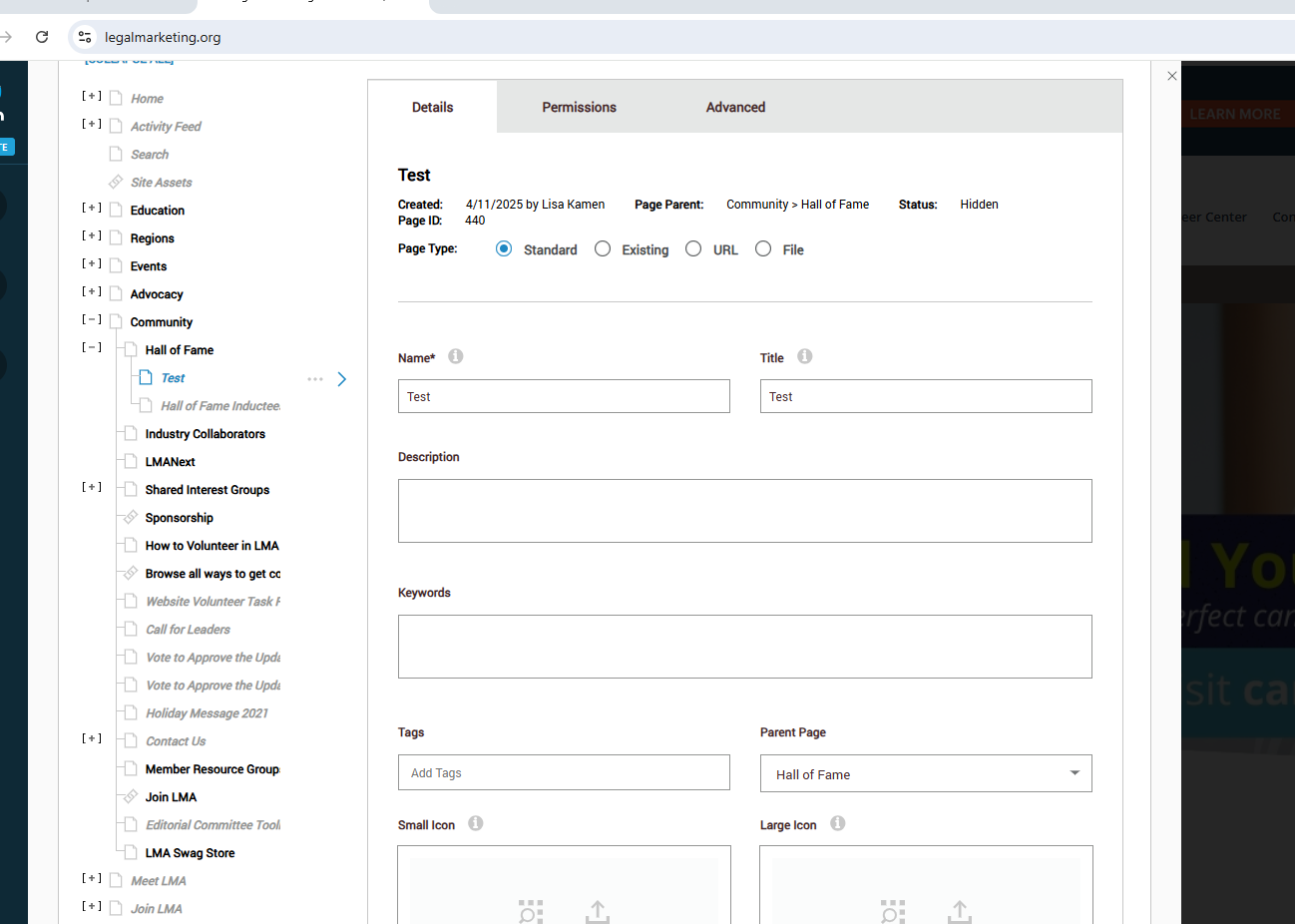
- Release to Place
Once the blue line is in the correct spot, release the mouse button to drop the page into its new location.

Was this article helpful?
That’s Great!
Thank you for your feedback
Sorry! We couldn't be helpful
Thank you for your feedback
Feedback sent
We appreciate your effort and will try to fix the article