While there are many factors that affect a page’s SEO, with the most important being high-quality relevant content and on-page keyword optimization, there are some page settings that can also help improve a page’s SEO. Below are the page settings that are useful for SEO and some best practices.
- To begin, log in to the DNN site as an administrator.
- In the left-hand admin bar hover over the Content icon and click Pages.
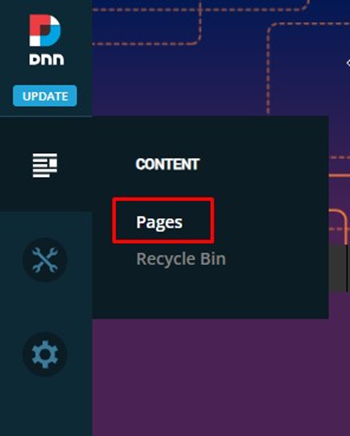
- In the page listing on the left, click on the page name that you wish to view or change the SEO settings for.
- In the Page Settings window on the right, in the first tab “Details”, here are the most important settings:
- Title
Add a compelling unique page title here that accurately describes the page content.
Tip: Include your primary target keyword and keep it under 60-70 chracters to prevent truncation in search results.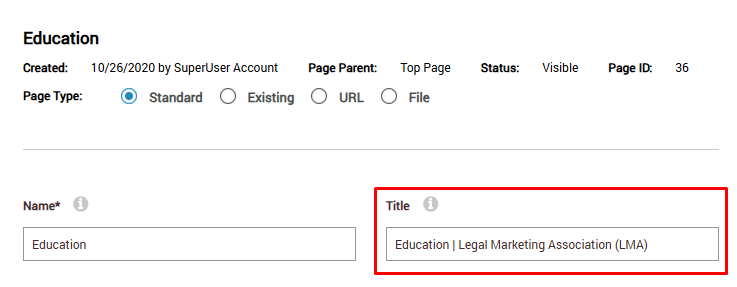
- Description
Add a unique enticing summary of the page content that encourages a click. This will be displayed as the meta description.
Tip: Include your primary keyword and a call-to-action if possible. Keep the description around 150-160 chracters. The description is not a direct ranking factor but strongly influences clikc-through rate (CTR).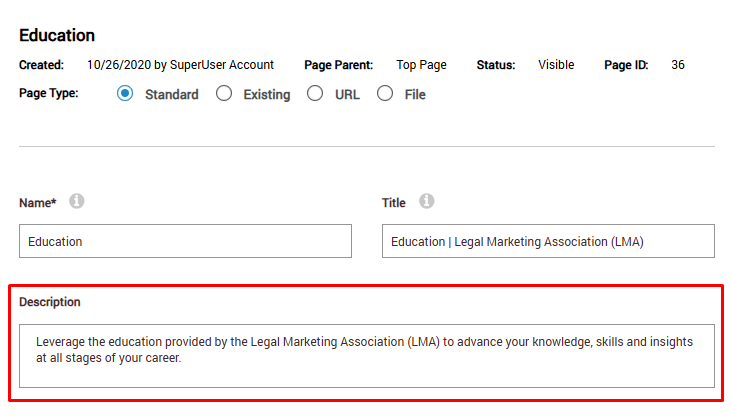
- Name
The page name is used to create the Page URL/URL Path, so ensure the Name is short and readable and includes the primary keyword.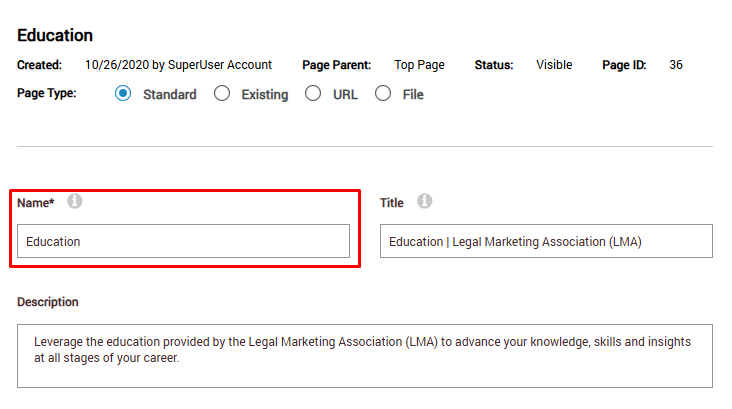
- Title
- Now, there are a few other settings you can check on the Advanced tab under SEO.

- First, ensure the “Allow Indexing” toggle is turned on for pages you want search engines to crawl and show in results.
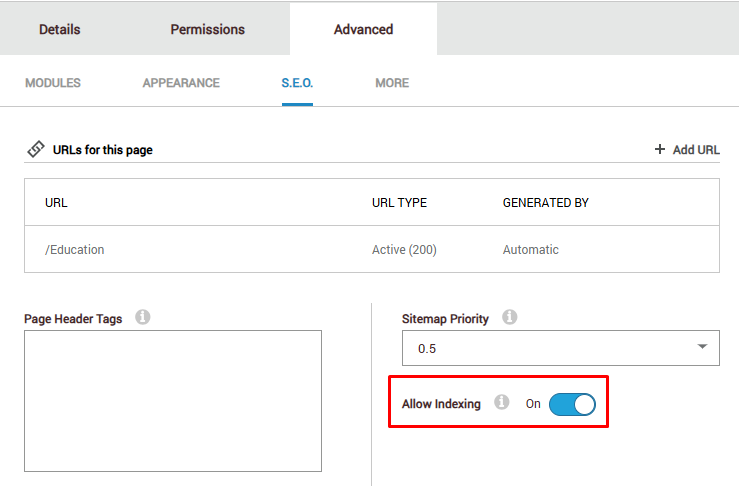 Note: If you have pages that you do not want search engines to crawl and display in results like test pages, draft pages, admin only pages you would want to turn this toggle off.
- In the Page Header Tags area, you can add additional meta tags. Below are some example meta tags that control how your content looks when shared on social media platforms like Facebook, LinkedIn, and X (Twitter). These tags don't directly influence organic search rankings but can be important for getting traffic from social media and increasing visibility on the Search Engine Results Page.
- First, ensure the “Allow Indexing” toggle is turned on for pages you want search engines to crawl and show in results.
<meta property="og:title" content=" ">
<meta property="og:type" content=" " />
<meta property="og:image" content=" ">
<meta property="og:url" content=" ">
<meta property="og:description" content=" ">
<meta property="og:site_name" content=" ">
<meta name="twitter:image" content=" "/>
<meta name="twitter:card" content="summary"/>
Meta Tag | Purpose/Description | Best Practice for Content/Options |
og:title | Defines the title of your content when it appears in a social media feed. | Best Practice: |
og:type | Defines the type of object you are sharing (e.g., website, article, video). | Options: |
og:image | Defines the URL of the image that will be displayed in the social media post. | Best Practice: Technical: |
og:url | Defines the canonical URL for the content being shared. | Best Practice: |
og:description | Defines the summary or description of the content. | Best Practice: |
og:site_name | Defines the overall website name (not the specific page title). | Best Practice: |
twitter:image | Defines the image for the Twitter Card. | Best Practice: |
twitter:card | Defines the type of Twitter Card (how the shared link visually appears on X/Twitter). | Options: |
Was this article helpful?
That’s Great!
Thank you for your feedback
Sorry! We couldn't be helpful
Thank you for your feedback
Feedback sent
We appreciate your effort and will try to fix the article