Occasionally, you may need to create a link to an external website, like Survey Monkey or Formstack, or even Google Docs. Here’s how you can create that link as a URL that lives on your DNN webstite-
- Create a page as you normally would. You can name it as your vanity URL, but it is not necessary. We can change that in a later step
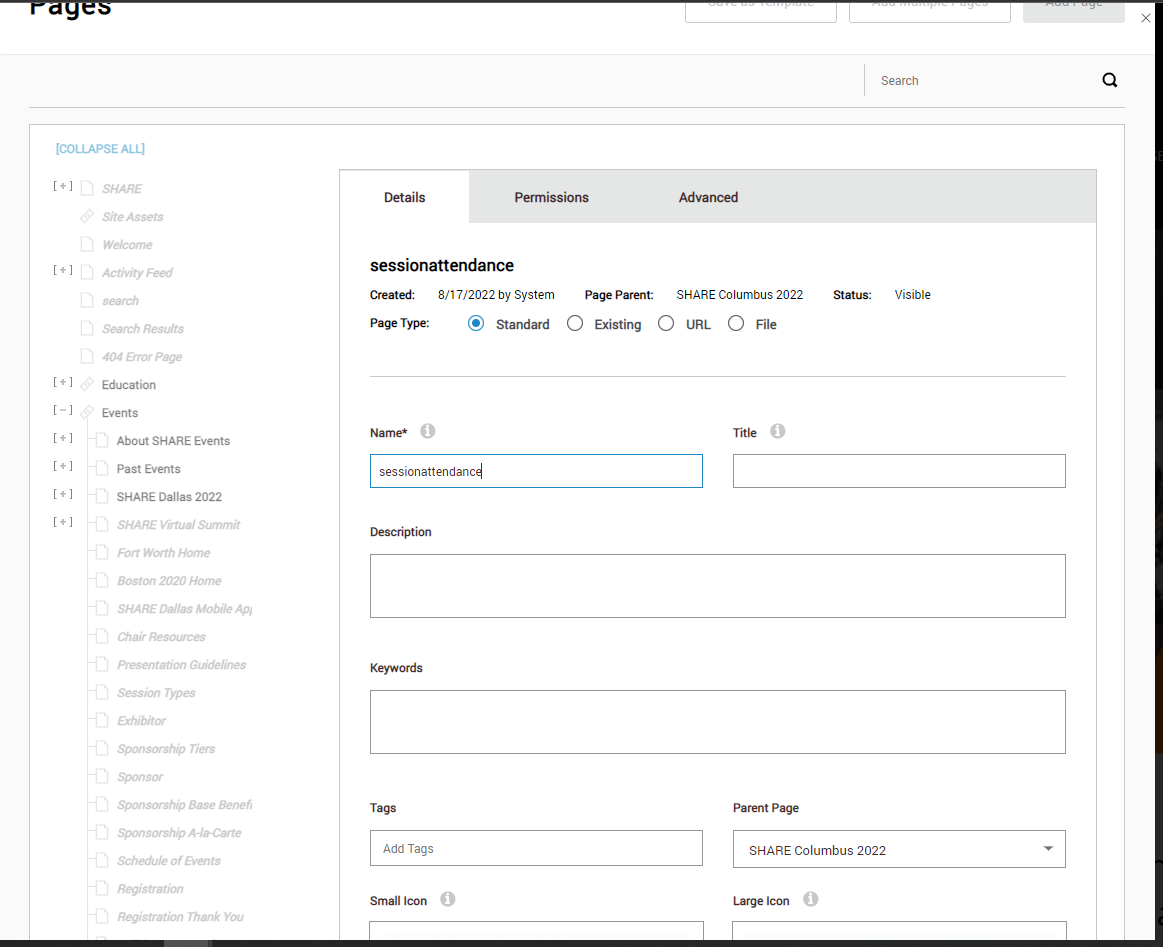
2. Change the page type from Standard to URL. Put the destination URL in the External URL box. Check “Open Link in New Window.” Uncheck “Display in menu.”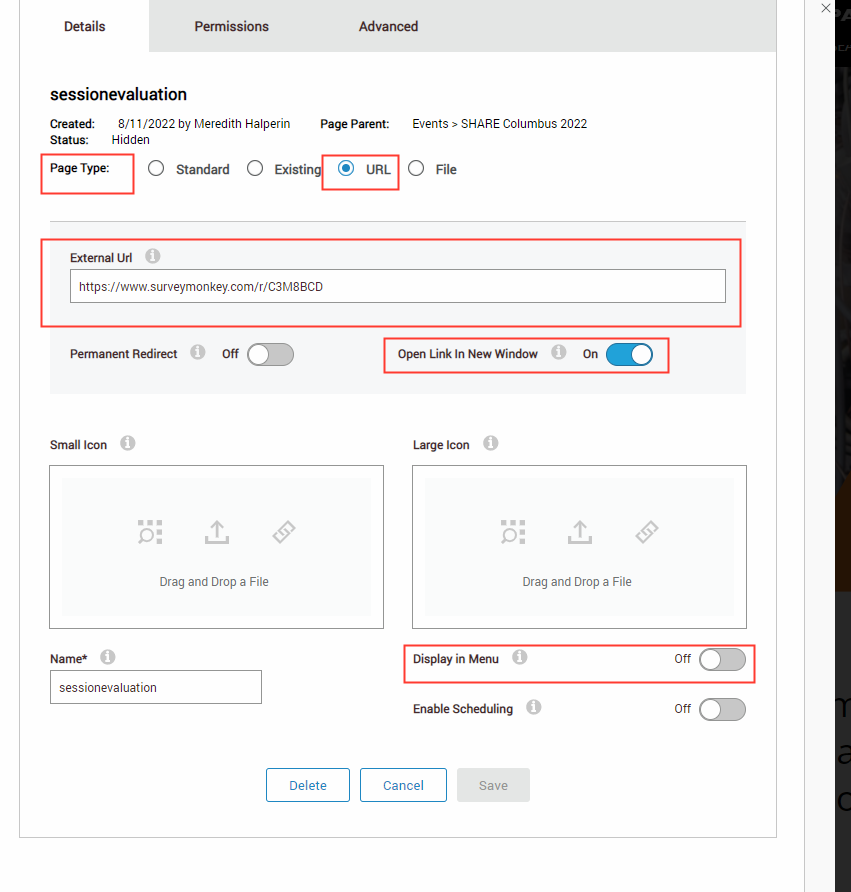
3. Go to the “Advanced” tab. Choose SEO. Click “Add URL.” Choose “Redirect” as your URL type. Type the name of your shortened vanity URL in the URL path box. Hit Save, in the URL section, then save at the bottom of the page creation module to create the page. 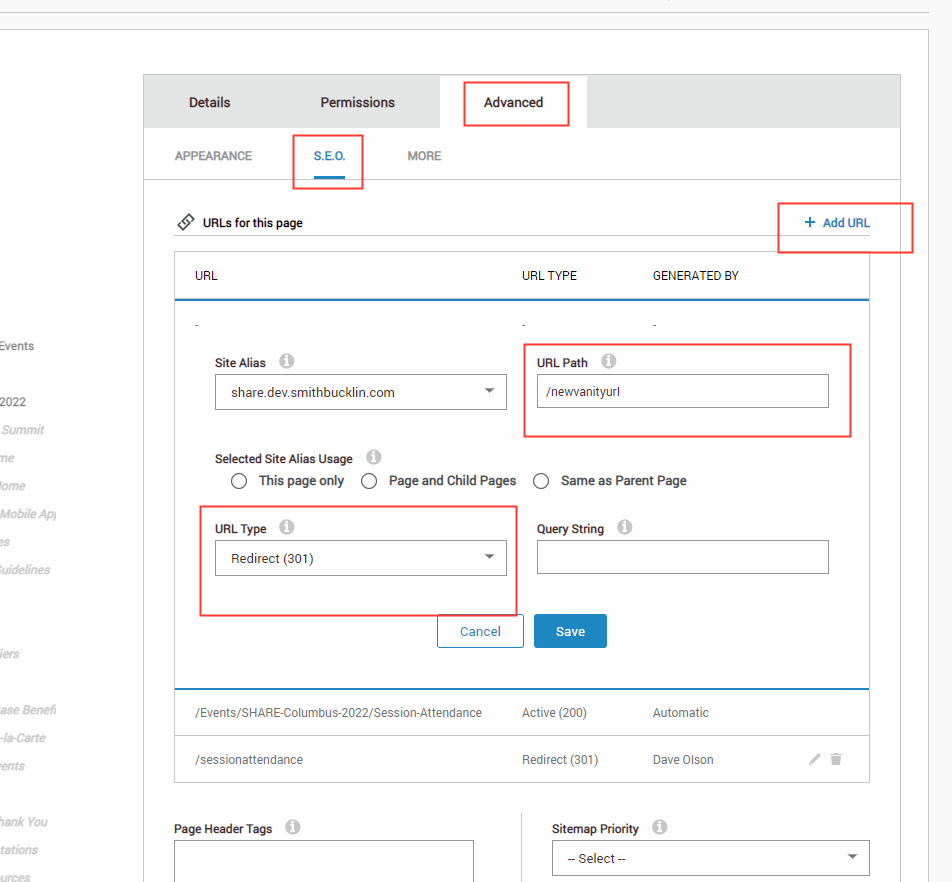
The vanity URL should now be active. For future reference, steps 3& 4 can be used on any page to set up a vanity URL.
Was this article helpful?
That’s Great!
Thank you for your feedback
Sorry! We couldn't be helpful
Thank you for your feedback
Feedback sent
We appreciate your effort and will try to fix the article