- To begin, log in to the DNN site as an administrator.
- Visit the page with the image you’d like to make mobile responsive and edit the HTML module with the image.
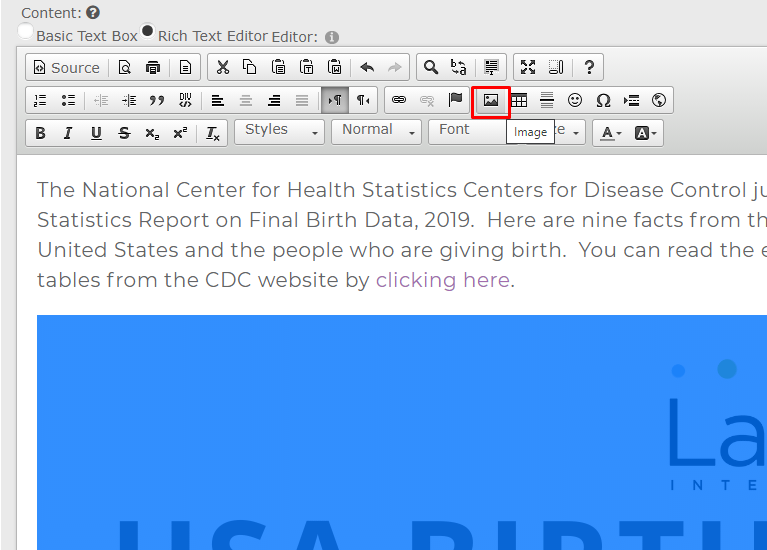
- In the editor, click on the image so that it is highlighted. Then click on the image icon in the toolbar.
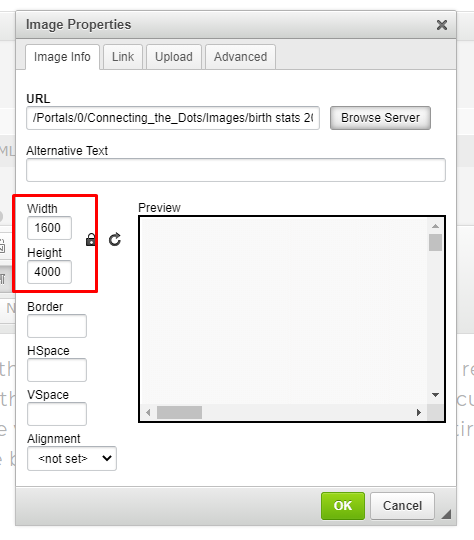
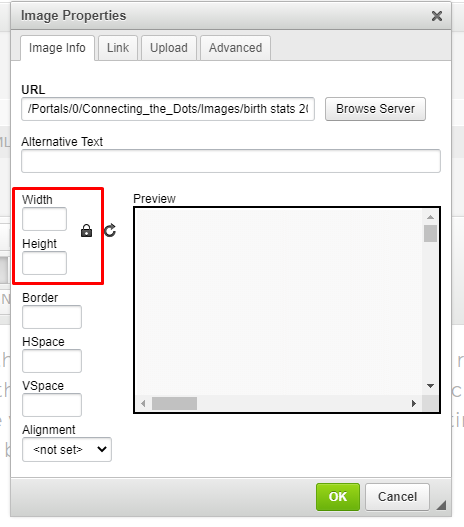
- In the Image Properties window delete the fixed width property in the width textbox. This will also delete the fixed height property. Both the width and height textboxes should now be empty.
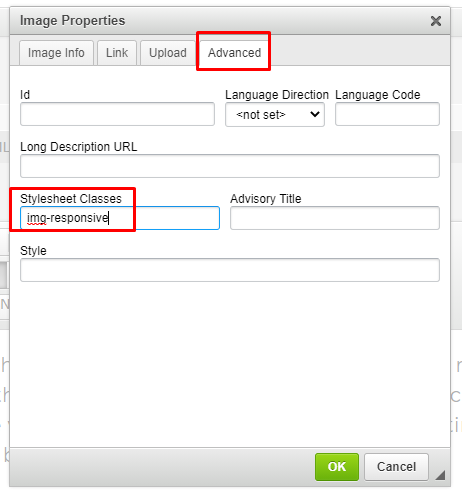
- Next, while still in the image properties pop-up window, click the on advanced tab.
- In the Stylesheet Classes text box type: img-responsive then click OK to save the changes.
Notes
- This process can be done both during the course of adding a new image and later if the image already exists on a page.
- It is important to first resize images to the appropriate height/width and resolution (72) BEFORE uploading the images to the site. Very large images can slow down the speed of a website.
See attached for the PDF version of these instructions.
Was this article helpful?
That’s Great!
Thank you for your feedback
Sorry! We couldn't be helpful
Thank you for your feedback
Feedback sent
We appreciate your effort and will try to fix the article