Process for Adding Documents to an Article in DNN
- Open the article in the DNN Article Editor.
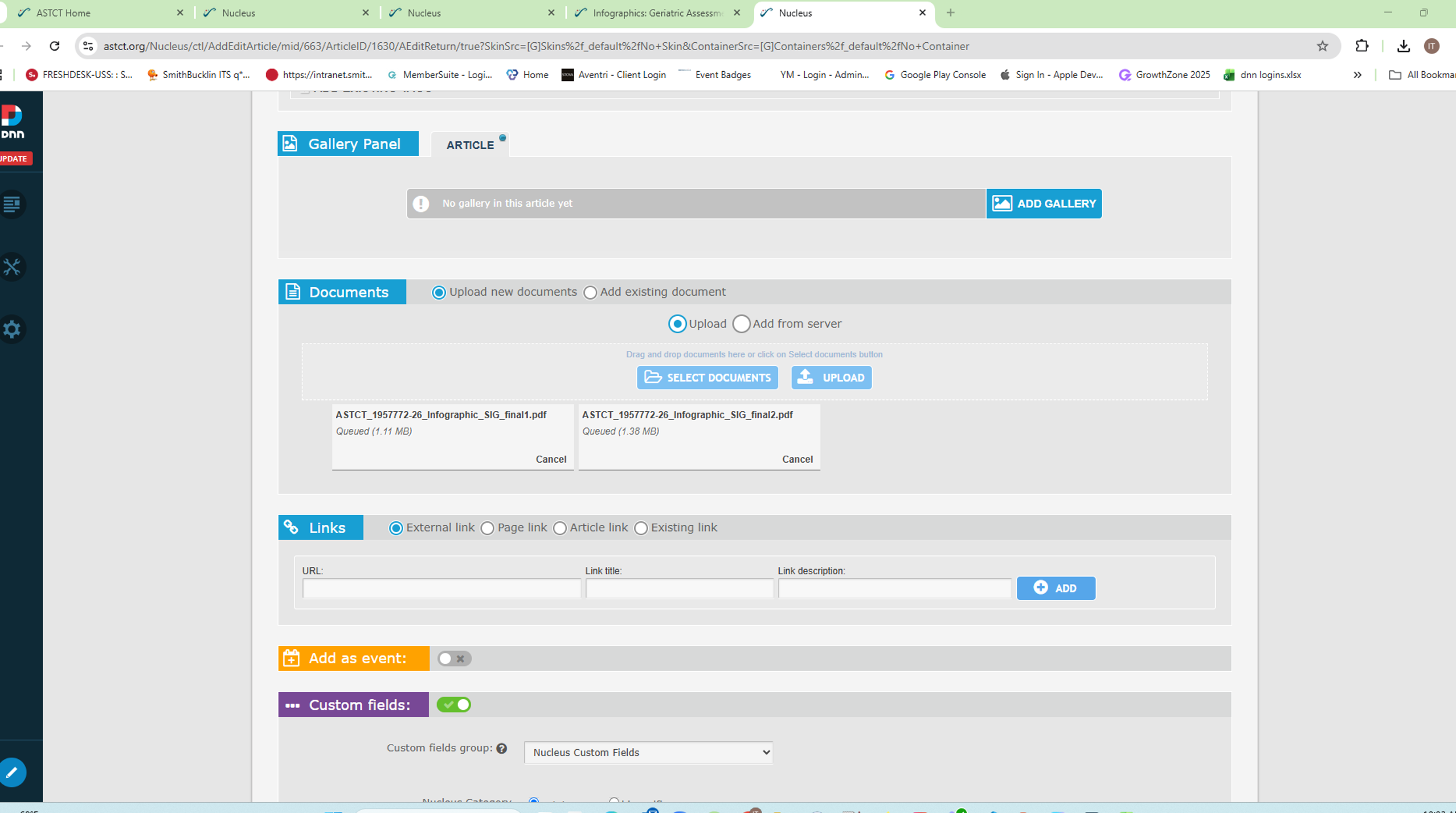
- Scroll to the Documents section.
- Select Upload New Documents.
- Click Select Documents and choose the PDF file(s) you want to add.
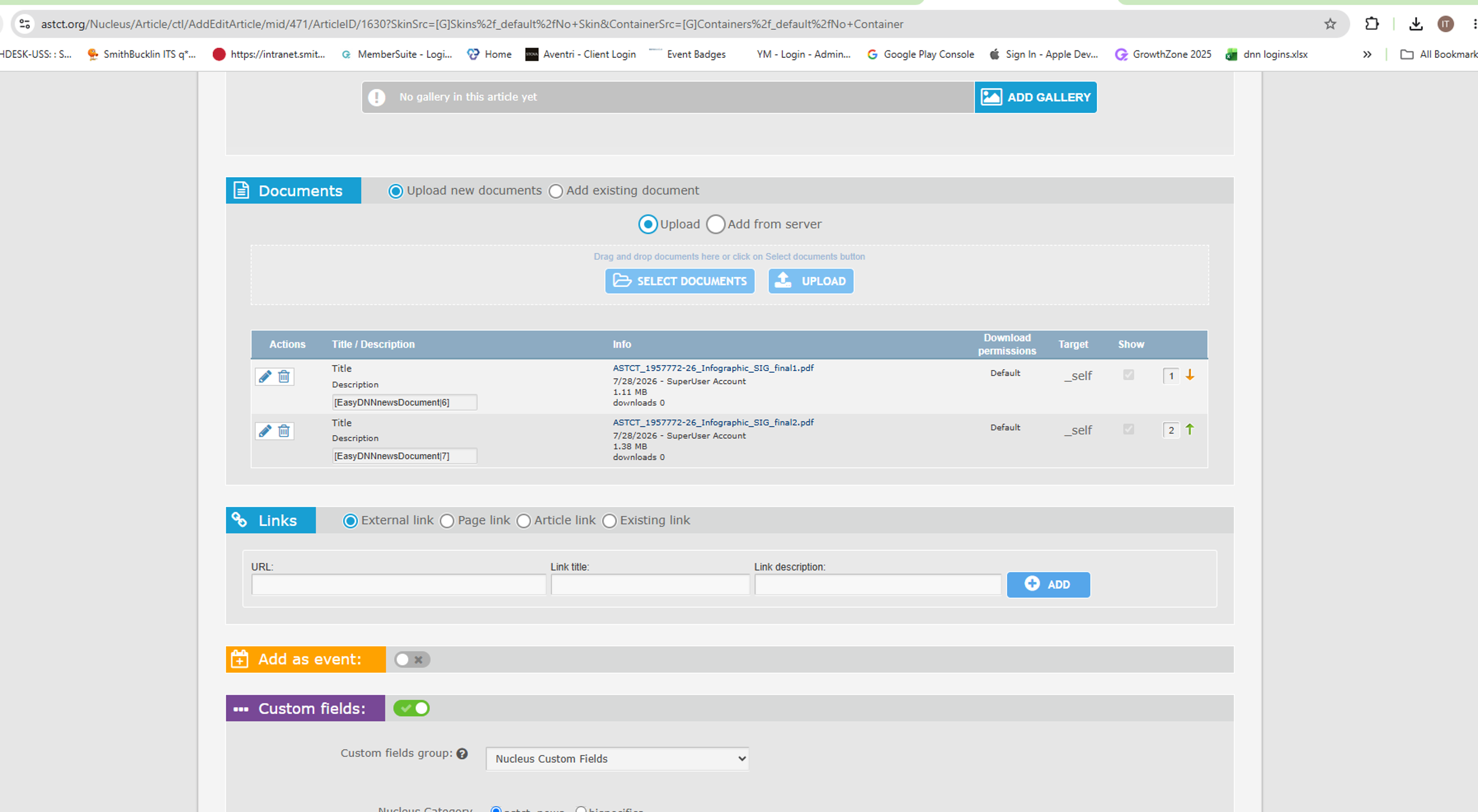
- Click Upload and wait for the files to finish uploading.
- Save the article.
Once saved, the uploaded documents will appear with the article and can be downloaded by users.
Was this article helpful?
That’s Great!
Thank you for your feedback
Sorry! We couldn't be helpful
Thank you for your feedback
Feedback sent
We appreciate your effort and will try to fix the article