When updating content on a page in DNN within the Text/HTML module, previous versions of the content in the module can be restored using the Version History option in the module.
- To restore a previous version of the content in a Text/HTML module, first log in to the DNN site as an administrator.
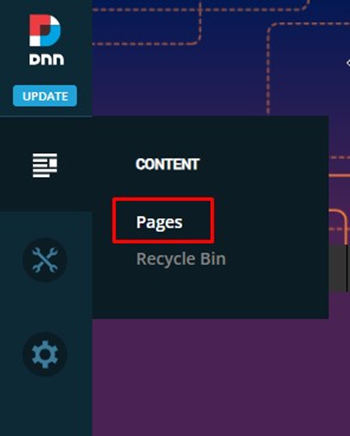
- In the left-hand admin bar hover over the Content icon and click Pages.
- In the page listing on the left, find the page with the Text/HTML module that you’d like to restore a previous version of. Hover over the options button to the right of the page name and click View.
- Hover over the pencil icon in the right-hand corner of the Text/HTML module, then click Edit Content.

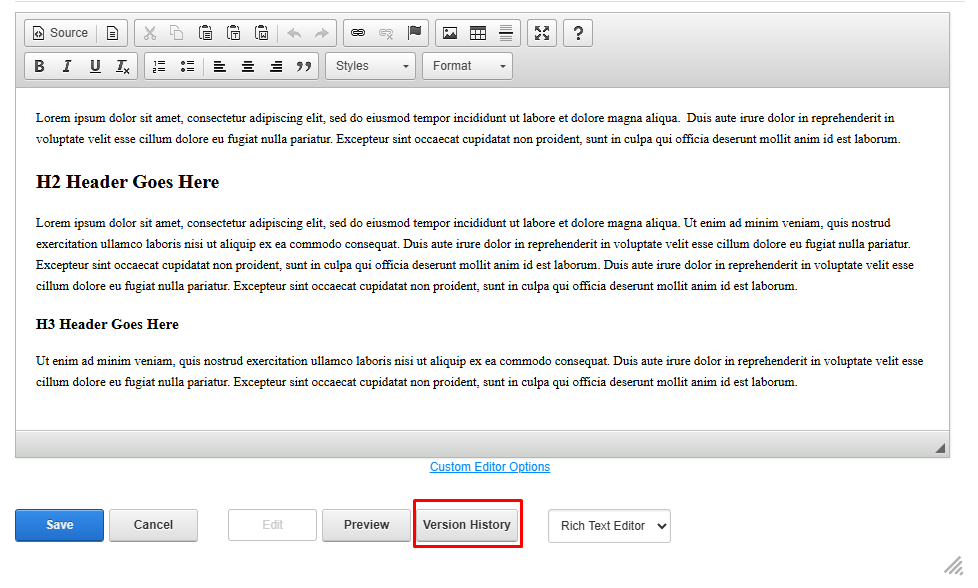
- At the bottom of the editor window, click the Version History button.
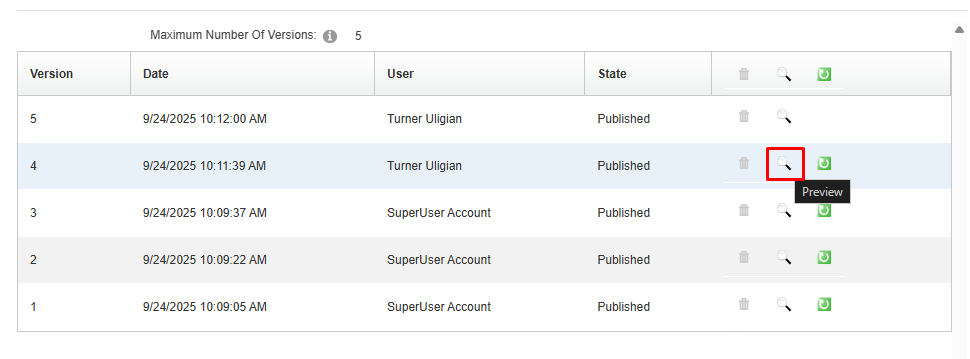
- In the Version History window you will now see a list of the previous versions of the content in the module. Note that there is a maximum number of versions that are stored (the default is 5 versions).
- To preview the content of a previous version before restoring it, click the magnifying glass icon. Note that the preview won’t show the site-specific styles but rather just the basic content of the version.
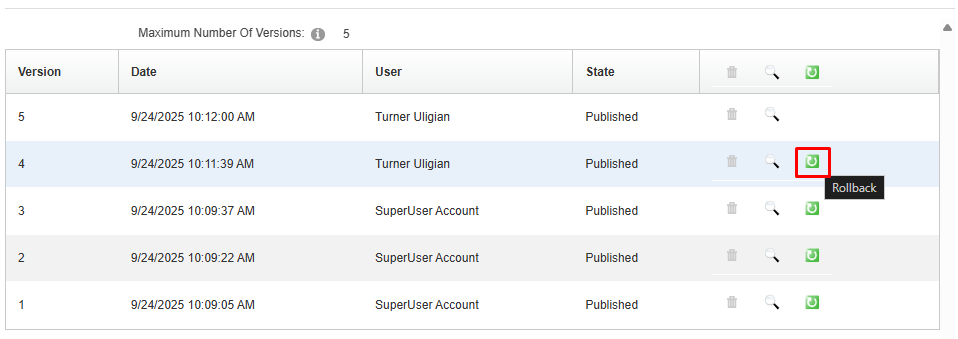
- To restore a previous version, click the green circular arrow icon next to the version.
- Upon clicking the Rollback button, you will be taken back to the editor window. The content of the previous version will now be displayed in the editor. If you need to make any additional edits you can do so, or to publish the previous version click the Save button at the bottom of the window.
Notes
- Since there is a limit on the maximum number of versions stored, it is generally a good idea to not solely rely on the version history. You can first test content on a test page to see how it will look, make (hidden) duplicates of pages if you want to keep a copy of previous versions of the entire page content from a point in time, as well as store important content versions outside of DNN.
- You can submit a request to the ITS Support Center team to have the number of revisions stored increased. However, changes to the maximum number of revisions are not retroactive. If the limit is increased from 5 to 10, only 5 versions will be shown until additional versions are created after the increase in the limit.
- If a Text/HTML module does not have a version you are looking for because it was many versions ago, you can try searching for previous versions of the page on https://web.archive.org/.
See attached for the PDF version of these instructions.
Was this article helpful?
That’s Great!
Thank you for your feedback
Sorry! We couldn't be helpful
Thank you for your feedback
Feedback sent
We appreciate your effort and will try to fix the article